SimSpace Golf Simulator Enclosure
You save $720.00 on the list price
Pickup currently not available
Extra savings at checkout. No code needed.
- $3,000+$100
- $7,500+$300
- $15,000+$750
- Secure checkoutCard, Apple Pay, Google Pay
- Free shippingEvery US order, tracked
- Room questions?Email us before you buy
Get a written quoteSend your room size. We check the fit and reply by email.+
Product details
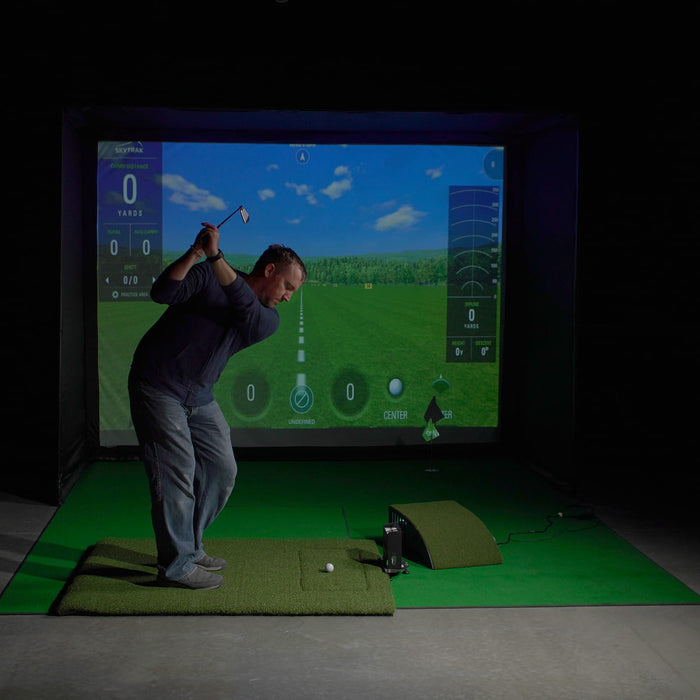
The SimSpace Golf Simulator Enclosure turns a garage, spare room or studio into a home golf bay. A full impact screen sits inside a frame wrapped in black velour side and roof panels that help contain stray shots and keep stray light off the screen. Choose one of six sizes: four widths that are 8 ft 2 in tall and 4 ft 11 in deep inside, or two larger models that are 9 ft 10 in tall and 9 ft 10 in deep inside. Every size comes with the standard Platinum screen or the UltraMAX Grey high-contrast screen.
Choose your size
| Size | Inside (W × H × D) | Outer frame (W × H × D) | Screen ratio |
|---|---|---|---|
| 8'6" wide (2.6 m) | 8'6" × 8'2" × 4'11" (2.6 × 2.5 × 1.5 m) | 8'10" × 8'6" × 5'3" (2.7 × 2.6 × 1.6 m) | 1:1 |
| 9'10" wide (3 m) | 9'10" × 8'2" × 4'11" (3 × 2.5 × 1.5 m) | 10'2" × 8'6" × 5'3" (3.1 × 2.6 × 1.6 m) | 4:3 |
| 11'10" wide (3.6 m) | 11'10" × 8'2" × 4'11" (3.6 × 2.5 × 1.5 m) | 12'2" × 8'6" × 5'3" (3.7 × 2.6 × 1.6 m) | 4:3 |
| 13'2" wide (4 m) | 13'2" × 8'2" × 4'11" (4 × 2.5 × 1.5 m) | 13'5" × 8'6" × 5'3" (4.1 × 2.6 × 1.6 m) | 16:10 |
| 9'10" wide, 9'10" tall (3 × 3 m) | 9'10" × 9'10" × 9'10" (3 × 3 × 3 m) | 10'2" × 10'2" × 10'2" (3.1 × 3.1 × 3.1 m) | 1:1 |
| 13'2" wide, 9'10" tall (4 × 3 m) | 13'2" × 9'10" × 9'10" (4 × 3 × 3 m) | 13'6" × 10'2" × 10'2" (4.1 × 3.1 × 3.1 m) | 4:3 |
Room check: leave at least 20 in (50 cm) behind the enclosure and 8 in (20 cm) on each side as a buffer for ball impacts, so your room needs to be a little larger than the outer frame.
Choose your screen
- Platinum (standard): SimSpace's impact-absorbing projection screen, which cushions the ball and keeps noise down. 4K compatible.
- UltraMAX Grey: a high-contrast grey screen that deepens shadows and colour for a crisper image with 4K projectors. SimSpace describes it as a 3-layer construction with a sound-dampening foam layer.
Features
- Black velour side and roof panels: sound-dampening and non-reflective, and they help block ambient light
- Bungee cord and Velcro tensioning keeps the screen taut and secure
- Foam padding on the frame poles
- Click-lock frame with no screws or tools, numbered instructions and an online video guide
- Two people can put it up without tools; SimSpace quotes about 20–30 minutes for the UltraMAX version
- Easy to take down and move
- Made for home golf simulators with today's launch monitors and simulator software
What's in the box
- Impact screen (Platinum or UltraMAX Grey)
- Frame
- Black velour side and roof panels
- Bungee cords and Velcro fixings
- Foam pole padding
- Assembly instructions
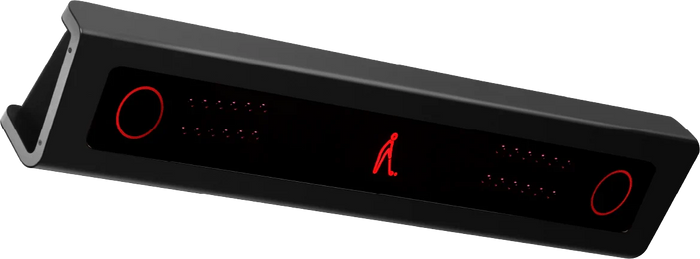
Not included: launch monitor, projector, hitting mat or computer. For a launch monitor that mounts on the ceiling above the hitting area, see the VTrack DX10.
Warranty
1-year SimSpace warranty on the enclosure and impact screen, subject to use. It's SimSpace's standard warranty, and SimSpace has confirmed it covers customers who buy through us. Claims go through us: send us photos of the problem and your order number, and we'll take it up with SimSpace, which reviews each claim case by case.
Questions and answers
Which size should I choose?
Measure your room's width, height and depth first. The four 8 ft 2 in tall sizes have outer frames 8 ft 10 in, 10 ft 2 in, 12 ft 2 in and 13 ft 5 in wide, all 8 ft 6 in tall and 5 ft 3 in deep. The two 9 ft 10 in tall models have outer frames 10 ft 2 in and 13 ft 6 in wide, both 10 ft 2 in tall and 10 ft 2 in deep. SimSpace asks for at least 8 in (20 cm) of space on each side and 20 in (50 cm) behind the enclosure.
How tall is it, and what ceiling do I need?
The outer frame is 8 ft 6 in tall on the four 8 ft 2 in sizes and 10 ft 2 in tall on the two 9 ft 10 in models, so your ceiling has to be higher than the frame you choose. SimSpace says you typically need a ceiling of at least 3 m (about 9 ft 10 in) to swing a club comfortably; our room size guide explains more.
Which projector shape does the screen need?
SimSpace's dimension drawings give each size's screen shape: square (1:1) on the 8'6" (2.6 m) and 3 × 3 m sizes, 4:3 on the 9'10" (3 m), 11'10" (3.6 m) and 4 × 3 m sizes, and 16:10 on the 13'2" (4 m) size. Choose a projector and setting that fill that shape; our projector guide covers throw distance.
What's the difference between the two screens?
Platinum is the standard impact screen. UltraMAX Grey is a high-contrast grey screen for a crisper picture with 4K projectors, and it costs more in each size (the price shows when you choose it).
How long does assembly take?
The click-lock frame needs no tools, and two people can put it up. SimSpace quotes about 20–30 minutes for the UltraMAX version.
Shipping
Free shipping on every US order. Large items can ship by freight, and parts from different makers can arrive on different days. You get a tracking email when each part ships. Shipping policy
Returns
See our refund policy for the return window and conditions. Questions? Email us before you order.
Check the fit first
Every product page lists the maker's room needs. Email us your ceiling, width and depth if you are unsure.
Pay securely
Checkout runs on Shopify. Shipping and tax show before you pay.
Track every box
Large items ship from the maker. You get a tracking email for each part.